
Here is how to build an AI agent for your business without writing code yourself: pick one repetitive task, list the tools and data the agent needs to do it, set clear limits and a hand-off to a person, then test it on real examples before anyone relies on it. Only then decide whether to build it with a no-code tool or hire a team.
An AI agent is software that uses a large language model (the technology behind tools like ChatGPT) to decide what to do next, then acts through your systems: reading an email, looking up an order, updating a record. If you are still weighing whether agents are worth it, our guide to agentic AI for business covers the why. This guide covers the how.
At a glance: start small with one well-defined job, give the agent the least access it needs, make it ask a person before anything risky, and test it on your own past cases. No-code tools suit simple, low-risk jobs. A development team makes sense when the agent touches several systems, customer data or money.
Step 1: Pick one task, not a whole department
The most common mistake is asking an agent to "handle customer service" or "run the admin". Both OpenAI and Anthropic advise starting with the simplest setup that works and adding complexity only when it clearly helps.

A good first task has three things in common:
- It repeats often. Dozens of times a week, not twice a month.
- It needs some judgement. Reading a messy email or document and deciding what it means. If the task follows fixed rules every time, a simple automation is cheaper and more reliable than an agent.
- Mistakes are easy to spot and undo. Sorting enquiries is a safer start than issuing refunds.
Write the task down in one sentence, such as "Read new supplier invoices, check them against the purchase order and flag any that don't match". Then write down what a good result looks like. That sentence becomes your brief for everything that follows.
Step 2: Map the tools and data the agent needs
An agent is only as useful as what it can reach. Walk through how a member of staff does the task today and note every system they open. In agent terms, each of these becomes a "tool": a connection that lets the agent read or change something.
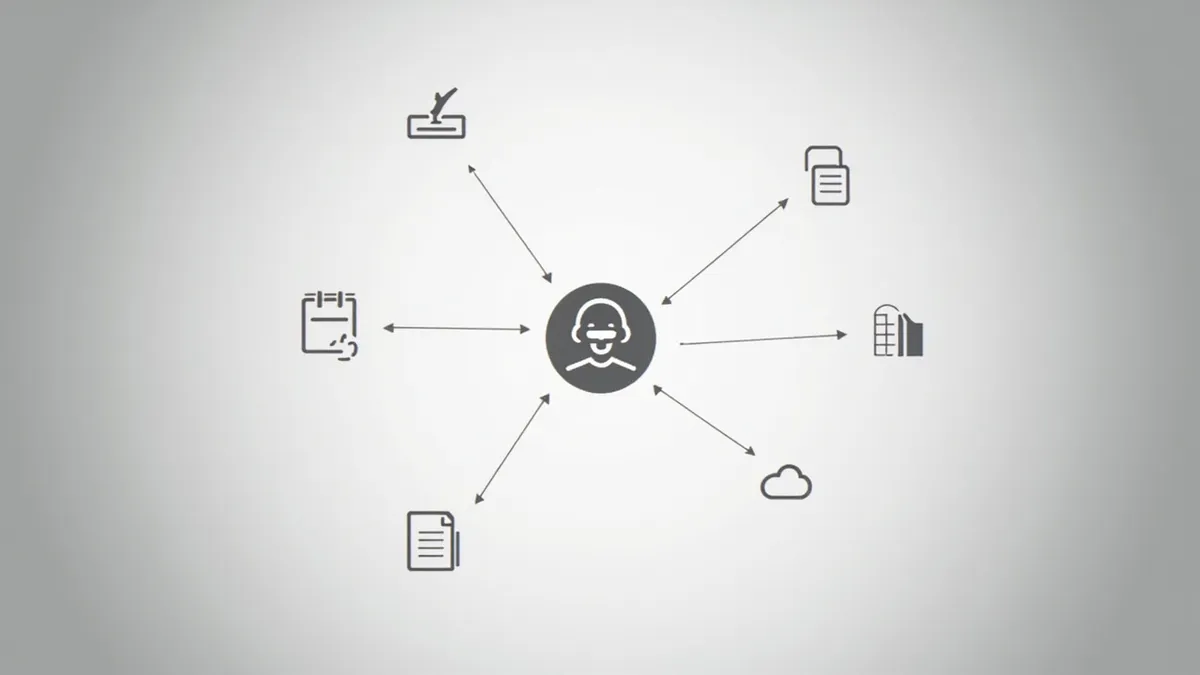
- Data it reads: your inbox, shared drive, product list, policies or past tickets.
- Actions it takes: creating a CRM record, drafting a reply, booking a calendar slot.
- Instructions: the rules your team follows, written down plainly, including the awkward exceptions.
Check that each system can actually be connected. Most modern software offers an API (a secure way for one program to talk to another). Older or in-house systems sometimes don't, and that alone can decide whether a no-code tool will work.
Step 3: Set guardrails and a human hand-off
Guardrails are the limits that keep an agent safe. OpenAI's guide suggests rating each tool by risk, looking at whether it only reads or can also change data, whether the action can be reversed, and whether money is involved. Low-risk actions can run on their own. High-risk ones should pause for a person to approve.
In practice, that means:
- Give the agent read-only access wherever it doesn't need to write.
- Require approval before it sends anything to a customer, changes a payment or deletes data.
- Tell it exactly when to stop and pass the case to a named person, with a summary of what it found.
- Keep a log of every action so you can see what it did and why.
If the agent handles personal data, UK GDPR applies in full. The ICO's guidance on AI and data protection explains what it expects, including a data protection impact assessment (a written check of the risks) where processing is likely to be high risk. Decisions made solely by software that significantly affect people carry extra rules, so keep a person in the loop for those. This is general information, not legal advice.
Step 4: Test on real examples before going live
Collect 30 to 50 real past cases, including the tricky ones, and write down the correct outcome for each. Run the agent against them and compare. This set of test cases is often called an "evaluation set", and it is the most valuable thing you will build.
Look at the failures, not just the score. Did the agent misread the task, lack information or break a rule? Fix the instructions or the tools, then rerun the same cases. When it performs well, go live in "shadow mode" first: the agent drafts, a person checks and sends. Loosen the reins only once you trust the results.
Build it yourself or hire a team?
No-code platforms such as n8n, Zapier and Microsoft Copilot Studio now let non-developers build agents by connecting a language model to apps on a visual canvas. n8n, for example, lets you require human approval before an agent uses sensitive tools. For many small jobs this is the right answer, and it costs far less than custom development.
| No-code tools | Hiring a team | |
|---|---|---|
| Best for | Simple, low-risk tasks using popular apps | Tasks across several systems, customer data or money |
| Upfront cost | Low: a monthly subscription plus your time | Higher: a fixed project fee |
| Speed to first version | Days, if the apps connect easily | A few weeks |
| Older or in-house systems | Often hard or impossible to connect | Custom connections can be built |
| Guardrails and logging | What the platform offers | Designed around your rules |
| Who maintains it | You, when something breaks | The team, or yours after hand-over |
A sensible path is to prototype in a no-code tool, prove the task is worth automating, then bring in developers if you outgrow it.
How Rinaztec can help
We build custom AI agents that connect to your systems and do one job well, with human approval steps, least-privilege access and a log of every action. We start by picking the task and defining what good looks like, then test against your real cases before launch. See our AI agent development service: from $6,000, live in 3 to 5 weeks.
Got a task you'd like an agent to take off your team's hands? Book a free 30-minute call and we'll tell you honestly whether no-code will do.