
A WhatsApp chatbot for business is software that reads the messages customers send to your WhatsApp number and replies for you, using AI to understand the question and your own data to answer it. It runs on Meta's official WhatsApp Business Platform, not the free WhatsApp Business app. The cost has three parts: Meta's per-message fees, the platform or provider you connect through, and building the bot itself.
At a glance: customers message you, and your bot can reply freely for 24 hours after each customer message. Outside that window you can only send templates that Meta has approved. Meta charges per delivered message by category and country, and from 1 October 2026 it also starts charging for ordinary replies above a free monthly allowance.
How a WhatsApp chatbot works
Businesses connect to WhatsApp through Meta's Cloud API. An API is simply a doorway that lets one piece of software talk to another. Meta hosts it, so there is no WhatsApp server to run.
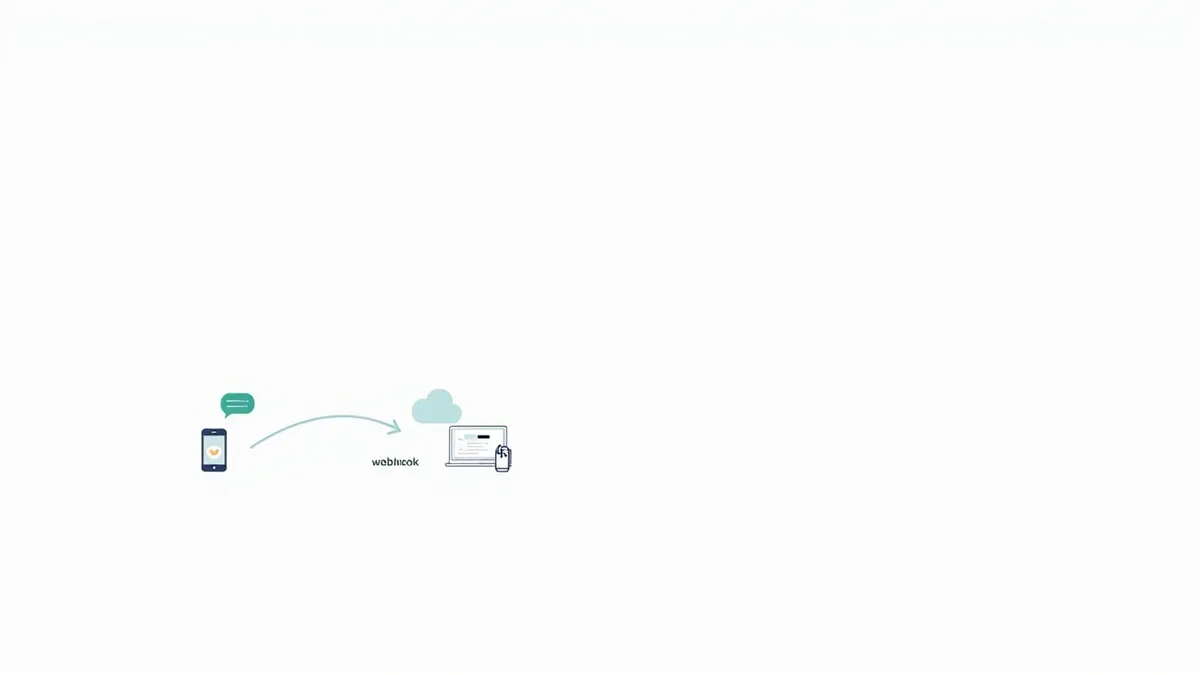
When a customer sends a message, Meta forwards it to your system through a webhook, an automatic notification sent to a web address you control. Your bot reads the message, looks up what it needs (your prices, opening hours, an order, a calendar) and sends a reply back through the API. The AI part is a large language model, the same kind of technology behind ChatGPT, instructed to answer only from your information.
Most businesses do not connect to Meta directly. They use a Business Solution Provider, a Meta partner that provides the inbox, number setup and billing.
The rules: the 24-hour window and message templates
The customer service window. Each time a customer messages you, a 24-hour window opens or resets. Inside it, your bot can send any normal reply: text, images, buttons, lists. When it closes, free-form replies stop working.
Message templates. To message someone outside the window, for example an appointment reminder the next day, you must use a template: a pre-written message with blanks for details like a name or booking time. Every template is placed in one of three categories: marketing, utility (order updates, reminders) or authentication (one-time login codes). Meta reviews each template, and says a decision can take up to 24 hours. Templates are commonly rejected for badly formatted variables, duplicates, or asking for sensitive details such as full card numbers.
You also need the customer's opt-in before you message them. Meta requires you to state clearly that they are agreeing to hear from you, and to name your business. The opt-in can be collected on your website, by SMS, by phone or on paper, as long as it complies with local law.
What an AI agent on WhatsApp can do well
- Bookings: check real availability, book the slot and send a utility reminder template before the appointment.
- Order status: look up an order by number and reply with the latest delivery update, instead of a staff member searching a spreadsheet.
- Lead qualification: ask a few questions (budget, area, timing), save the answers to your CRM and pass good leads to a salesperson.
- Common questions: prices, locations, documents needed, returns, in Arabic and English. We cover dialects in our guide to Arabic AI chatbots.
A simple example: a Dubai clinic gets messages at night asking about appointments. The bot offers the next free slots, books one, and sends a reminder template the day before. Anything medical goes straight to a person.
That hand-off is not optional. WhatsApp's Business Messaging Policy says that if you use automation, you must also offer a prompt, clear and direct escalation path, such as transfer to a human agent, a phone number or email.
Where WhatsApp chatbots go wrong
- Treating it like bulk SMS. Sending marketing to people who did not opt in leads to blocks and reports. Meta limits or restricts accounts that break its policies or collect too much negative feedback.
- Ignoring the window. A bot promises to "get back to you tomorrow", then cannot, because nobody set up an approved template for the follow-up.
- Wrong template category. Labelling a promotion as a utility message counts as misclassification, and repeated violations can lead to messaging blocks.
- No messaging limit plan. New accounts can only start conversations with 250 unique people a day outside the window. Verifying your business is one route to raise it.
- A general chatbot. Since 15 January 2026, WhatsApp's terms restrict general-purpose AI assistants on the platform in most countries. Keep your bot focused on your own business and services.
What a WhatsApp chatbot costs
Meta moved to per-message pricing on 1 July 2025. You pay when a template message is delivered, and the rate depends on the template's category and the country code of the customer's number. Messages customers send you are free. Rates change on set dates, so check Meta's pricing page for Saudi Arabia, the UAE and the UK.
Two changes take effect on 1 October 2026. Ordinary replies inside the 24-hour window (service messages), free since November 2024, become charged per message, with the first 1,000 each month free for every business phone number. Utility templates sent inside the window also become charged. Meta has also listed marketing rate increases for Saudi Arabia and the UAE from the same date.
| Cost driver | What affects it |
|---|---|
| Meta message fees | Message category, customer's country, volume, how chatty your bot is |
| Provider or platform fees | Monthly subscription, seats in the shared inbox, any mark-up on Meta's fees |
| AI usage | How long the conversations are and which language model you use, billed by the AI provider |
| Build and integration | How many systems it connects to: calendar, CRM, order system, payments |
| Running costs | Hosting, monitoring, updating answers and templates as your business changes |
Because replies will cost money, a bot that answers in one clear message costs less than one that sends five short ones.
Off-the-shelf tool or custom build?
If you mainly need FAQs, simple bookings and a shared inbox, an off-the-shelf WhatsApp platform with a built-in bot is usually the right answer.
A custom build makes sense when the bot must work with your own systems: live stock, a custom CRM, a booking engine, or approval steps that off-the-shelf flows cannot handle. It is also worth it when you want full control over the AI's instructions and your data. Our guide to agentic AI for business explains what these agents can take on.
How Rinaztec can help
We build custom AI agents that work on WhatsApp through Meta's official platform, connected to your calendar, CRM or order system, with a clear hand-off to your team. We work remotely with businesses in the UAE, Saudi Arabia and the UK, and you own the code. AI agent development starts from $6,000 and typically goes live in 3 to 5 weeks.
Wondering what a WhatsApp chatbot would handle for your business? Book a free 30-minute call and we will map it out with you.
Sources
- Meta for Developers: About the WhatsApp Business Platform (Cloud API)
- Meta for Developers: Pricing on the WhatsApp Business Platform
- Meta for Developers: Upcoming pricing updates for service and utility messages
- WhatsApp Business: Platform pricing
- Meta for Developers: Template review
- Meta for Developers: Get opt-in for WhatsApp
- Meta for Developers: Messaging limits
- Meta for Developers: Policy and spam enforcement
- Meta for Developers: Pricing policy for AI Providers (terms updated 15 January 2026)
- WhatsApp Business Messaging Policy