
ZATCA e-invoicing Phase 2, the "integration phase", means your invoicing system must connect directly to ZATCA's Fatoora platform, issue invoices in a set electronic format and carry extra fields, a cryptographic stamp and a QR code. It is rolled out in waves, and ZATCA tells each business directly at least six months before its integration date. The latest announced wave covers taxpayers whose VAT-subject revenue exceeded SAR 187,500 in any year from 2022 to 2025, with integration due by 1 February 2027.
This guide explains what Phase 2 asks for in plain words, what happens if your ERP or billing system is not ready, and how to choose between buying, plugging in and building.
At a glance: check whether ZATCA has notified you, pick a compliant e-invoicing solution, onboard it on the Fatoora portal, then make sure every system that creates invoices (ERP, point of sale, billing app) sends clean data through it. The connection and the data clean-up are where most of the effort sits.
Phase 1 and Phase 2: what changed
Phase 1, the "generation phase", has applied since 4 December 2021. It banned handwritten invoices and invoices made in word processors or spreadsheets. Invoices must come from a compliant electronic solution, include the required fields and, for simplified invoices, a QR code.
Phase 2 has been enforced in waves since 1 January 2023. On top of Phase 1, ZATCA says the main new requirements are integrating your e-invoicing solution with Fatoora, issuing invoices in a specific format and including additional fields. The format is XML, a structured data file that software can read, or a PDF/A-3 file with that XML embedded inside it.
How the waves and notifications work
ZATCA does not bring everyone in at once. It selects a group of taxpayers for each wave, usually by revenue, and notifies them directly at least six months before their integration date.
The most recent announcement, published on 24 July 2026, is Wave 25. It covers all taxpayers whose revenue subject to VAT exceeded SAR 187,500 in 2022, 2023, 2024 or 2025. They must integrate with Fatoora by no later than 1 February 2027.
Earlier waves used higher revenue thresholds, so larger businesses should already be integrated. If you are unsure which wave you fall into, check your ZATCA account and any notification you have received, and confirm with your tax adviser. Do not rely on third-party summaries for your date.
Clearance, reporting, stamps and QR codes in plain words
Phase 2 treats your two invoice types differently.
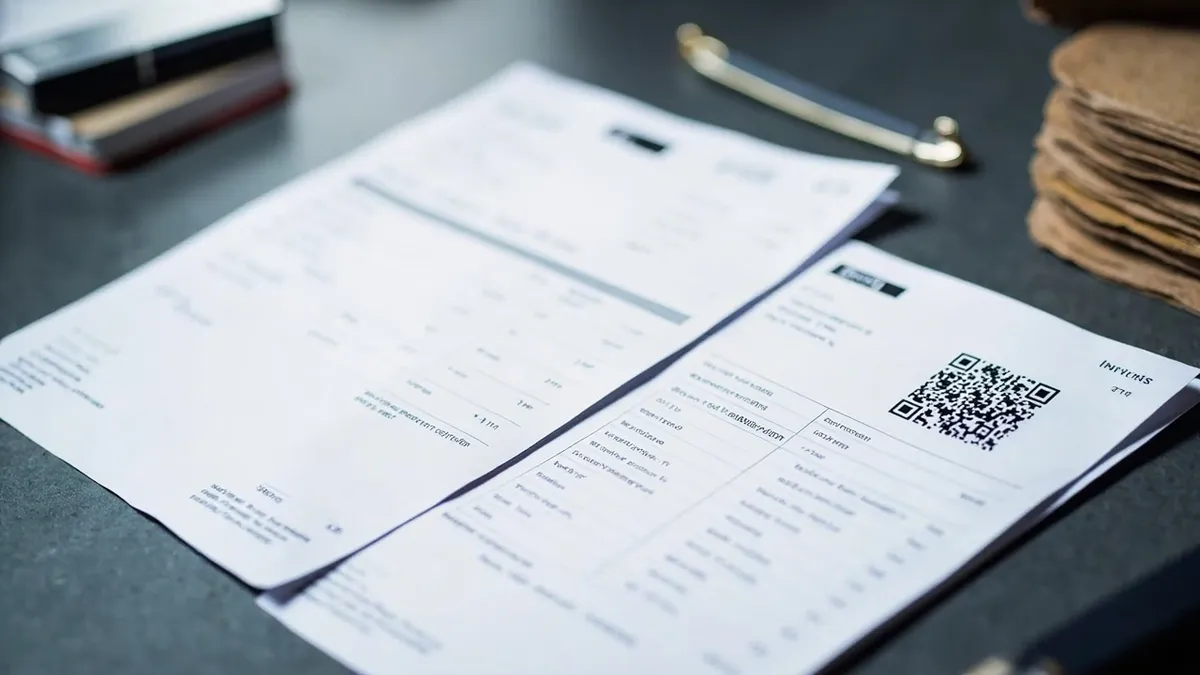
| Standard tax invoice | Simplified tax invoice | |
|---|---|---|
| Usually used for | Sales to other businesses | Sales to consumers |
| What ZATCA calls the process | Clearance | Reporting |
| What happens | Your system sends the XML to Fatoora in real time. Fatoora checks it, adds its cryptographic stamp and QR code, and sends it back. Only then do you share it with the buyer. | Your system stamps the invoice itself, adds the QR code and gives it to the customer straight away. It then sends the XML to Fatoora within 24 hours. |
A few terms worth knowing:
- Cryptographic stamp: an electronic seal that proves who issued the invoice and that nobody changed it afterwards.
- CSID (Cryptographic Stamp Identifier): the digital identity ZATCA issues to each invoicing unit, such as a till or a server, when you onboard it. Your system uses it to stamp and to talk to Fatoora.
- Onboarding: you generate a one-time password on the Fatoora portal, your solution uses it to request a CSID, then it passes ZATCA's compliance checks before going live.
- QR code: a scannable code on the invoice that lets anyone do a basic check that it is genuine.
ZATCA's Developer Portal offers a testing toolkit and a sandbox, a practice version of Fatoora, so your team or provider can test before going live.
What happens if your ERP or billing system is not integrated
For standard tax invoices, ZATCA's guidelines say clearance is a prerequisite for sharing the invoice with the buyer and for it to be regarded as legal and valid. In practice, a system that cannot clear invoices cannot issue valid B2B invoices once your integration date arrives.
ZATCA also publishes violations and fines. When it announced the Phase 1 fines, it said not issuing electronic invoices starts at a fine of SAR 5,000, and deleting or amending e-invoices after issuing them starts at SAR 10,000. Some violations, such as a missing QR code on a simplified invoice, start with a warning. Fines depend on the type of violation and how often it repeats, so check ZATCA's current schedule rather than any summary.
You must also tell ZATCA about any technical fault that stops you issuing e-invoices, and catch up on clearance or reporting once the system is working again.
Build, buy or plug in
You do not need a custom system to comply. ZATCA publishes a non-binding list of e-invoicing solution providers, and says you are not limited to it. The right route depends on what you run today.
- Your accounting or POS software already supports Phase 2. Turn it on, onboard it and test. This is the simplest option for most small businesses.
- You run a mainstream ERP. Use a certified connector or a solution provider that plugs into it, then test your real invoice types, including credit and debit notes.
- You run a custom or older system. Connect it to a compliant e-invoicing solution through its API, mapping your invoice data to the required fields and handling rejected invoices properly.
- You invoice from several places. Branch tills, a web shop and a head-office ERP all need a path to Fatoora, with each invoicing unit onboarded.
Whichever route you take, the hidden work is usually data quality: buyer VAT numbers, addresses, product descriptions and credit notes handled outside the system. Clearance checks each invoice before it is valid, so gaps that were tolerated before will now stop invoices going out. If you also trade in the Emirates, our UAE e-invoicing guide covers the different model there, and our ERP implementation guide helps if you are replacing systems anyway.
This article is general information, not tax or legal advice. ZATCA's website is the official source, so check it for updates and speak to your tax adviser.
How Rinaztec can help
We are not a ZATCA-certified e-invoicing solution provider, and you will still need a compliant solution. What we do is the systems work around it: we connect your ERP, billing or custom invoicing system to your chosen e-invoicing solution, clean up the invoice data, and build proper invoicing where businesses have outgrown spreadsheets. Our custom ERP development service starts from $15,000, delivered in phases of 6 to 10 weeks.
Not sure how much work your systems need before your wave date? Book a free 30-minute call and we will look at your setup and tell you honestly.