
AI customer service works best when AI takes the simple, repetitive questions, drafts answers for your staff on the trickier ones, and leaves complaints, sensitive situations and judgement calls to people. Get it right and customers get faster answers. Get it wrong and your bot becomes the thing they complain about.
At a glance: automate the questions with one clear, low-risk answer, let AI assist staff where accuracy or tone matters, keep people in charge of anything emotional, financial or disputed, always tell customers they are talking to AI, and make reaching a person easy at every step.
The three tiers: handle, assist, keep human
Think of every customer contact as belonging to one of three groups. Sort your real enquiries into them before buying or building anything.
Tier 1: AI handles it. Questions with one correct answer that lives in your own information. Opening hours, delivery times, where an order is, how to reset a password, booking or moving an appointment. The AI answers from your approved help pages and systems, not from general knowledge.
Tier 2: AI drafts, a person sends. Questions where the answer depends on the details, or where a wrong word would cost you. Refund requests outside the normal rules, technical faults, quotes, anything with a policy exception. Here the AI reads the history, pulls the relevant facts and writes a draft. Your staff member checks it, edits it and sends it.
Tier 3: people only. Complaints, bereavement, money difficulties, health worries, safety concerns, legal threats and anything where the customer is upset. AI can still help behind the scenes, for example by summarising the case, but a person owns the conversation.
A simple "automate, assist, never" table
| Situation | Automate | Assist staff | Never automate |
|---|---|---|---|
| Opening hours, prices, delivery times | Yes | ||
| Order tracking and booking changes | Yes | ||
| Refunds outside standard policy | Yes | ||
| Technical faults and troubleshooting | First steps only | Yes | |
| Formal complaints | Summaries only | Yes | |
| Customers in vulnerable circumstances | Yes | ||
| Decisions with a significant effect, such as refusing credit or closing an account | Preparation only | Yes, without human review |
Your table will look different. The point is to decide in advance, in writing, so the AI's limits are a business decision rather than an accident.

Warning signs of an annoying bot
The problems are usually design choices, not the technology. Watch for these:
- No way out. The customer asks for a person and the bot keeps offering the same menu.
- Loops. It asks the same question twice or restarts after a misunderstanding.
- Confident wrong answers. It invents a policy or a date because it was allowed to answer outside your own information.
- Starting again. After a hand-off, the customer has to repeat everything to the person.
- Pretending to be human. A human name and chatty tone with no mention that it is AI.
- Ignoring emotion. Cheerful scripted replies to an angry or distressed customer.
Fix these before launch. A slower human answer beats a fast bot that makes people angrier.
Hand-off rules that protect your reputation
The hand-off from AI to a person is where customer service AI succeeds or fails. Write these rules down before you build.
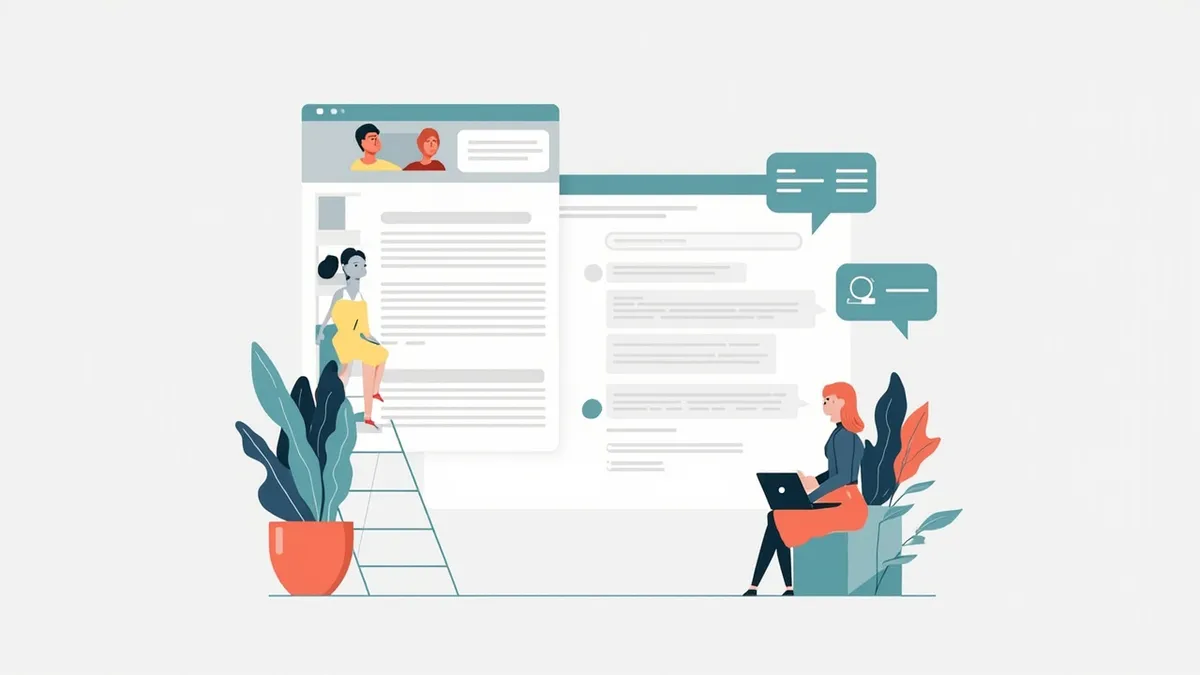
- Make a person easy to reach. Customers should be able to ask for a human at any point, in plain words, and get one. Major platforms support this: Microsoft's Copilot Studio documentation describes customers asking for a live agent at any point in a conversation.
- Pass the context. The person should see the full conversation and the details already collected, so the customer never repeats themselves. The same Microsoft guidance describes sharing the full conversation history with the live agent.
- Hand off on signals, not just requests. Escalate automatically when the customer sounds upset, mentions a complaint, repeats themselves, or when the AI is unsure of the answer.
- Protect vulnerable customers. Mentions of illness, bereavement, money trouble or safety should go straight to a trained person. If you are an FCA-regulated firm, the Consumer Duty is relevant here, and the FCA publishes material on good outcomes for consumers in vulnerable circumstances.
- Treat complaints as human work. AI can log and summarise a complaint, but a person should respond and own the outcome.
- Be honest outside office hours. If no one is available, say when a person will reply and take the details, rather than letting the AI guess.
Tell customers they are talking to AI
Say it clearly at the start: "You are chatting with our AI assistant. You can ask for a person at any time." On the phone, say it in the greeting.
It also fits UK data protection expectations. The ICO's guidance on AI and data protection covers transparency, meaning people should understand how their information is used. Note that the ICO says this guidance is under review after the Data (Use and Access) Act, so check the latest version.
Be careful with decisions. Under UK GDPR, the ICO explains that solely automated decisions with legal or similarly significant effects have extra rules, including simple ways for people to request human intervention or challenge a decision. An AI that answers questions is usually fine. An AI that refuses a refund, a claim or an account on its own needs legal advice first. This is general information, not legal advice.
If you serve customers in Arabic as well as English, the same rules apply in both languages. Our guide to Arabic AI chatbots and dialects covers that side. For phone lines specifically, see what AI receptionists can and cannot do.
How to start without upsetting customers
- Export a month of real enquiries and sort them into the three tiers.
- Pick the two or three most common Tier 1 questions and automate only those.
- Write your hand-off rules and disclosure wording before you build.
- Test with real questions, including awkward and angry ones, and read every transcript in the first weeks.
- Add Tier 2 drafting for staff once Tier 1 is working well.
For many small businesses, a good off-the-shelf help desk with a built-in AI feature is enough. A custom build makes sense when the AI needs to act inside your own systems, such as bookings, orders or a CRM.
How Rinaztec can help
Rinaztec builds AI voice agents that answer calls, book appointments and transfer complex or sensitive calls to a person, and AI agents that answer customers from your own help docs, order data and policies, then escalate to your team with the full context. Our AI voice agents start from $4,500 and go live in 2 to 3 weeks. For chat and email support, AI agent development starts from $6,000 and typically takes 3 to 5 weeks.
Not sure which of your customer questions AI should handle? Book a free 30-minute call and we will go through them with you.